
Registering for the Global Merchant Portal
Below is a link for the merchant portal with Global Payments. They are the entity that transfers the funds for all your transactions between financial institutions. On this portal you can view your transactions, print your monthly statements and view any chargebacks or disputes. Please use the link below to register. You will need your Merchant ID and EIN to create an account. Please format the EIN as follows: 11-0123456 (don't forget the dash). Be sure not to include the leading zero's in the Merchant ID when registering. You should start with 87882100xxxxx when inputting the merchant ID for registration.
https://www.globalpayments.com/en-ca/business-tools/merchant-portal
Scroll down to the Login Register buttons
Click on Register and use the email you have on file with us to create your account.
The first screen you come to will have an option to upgrade your monthly reporting for a fee, this is not required and there is a place on the screen to decline.
Once you are in, you will be in the reporting section of the portal. This area allows you pull statements, view reports such as funding and batch settlements and view transactions by date range.
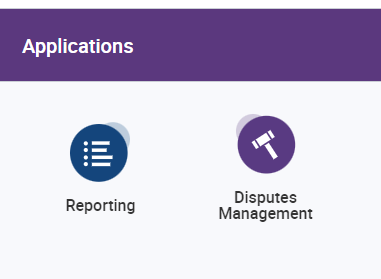
There are two sites within this portal. You can move between Reporting and Disputes Management by clicking the icon with the 4 dots in the upper right hand corner of your screen (see below).

This will open a side pop out that will allow you to select the disputes portal. Use the button above to move between the Reporting and Disputes sections as needed.
We hope you find this useful and it helps you access your important account data.